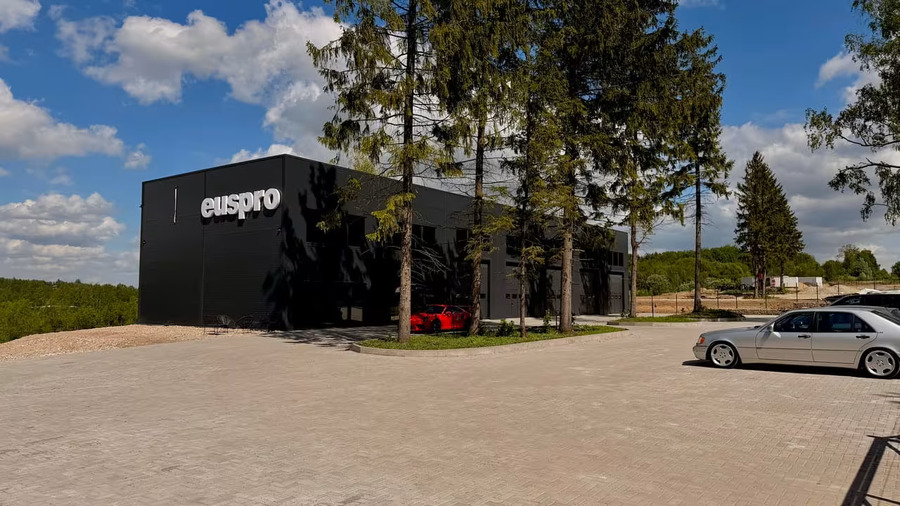
Who's behind Playsla
UAB EUSPRO
Hardware & software studio developing electronics for vehicles, energy and tracking since 2006.
Senojo kelio g. 32, Vilnius, LT-13264, Lithuania
Playsla streams Android Auto™ to your Tesla® touchscreen through your phone's mobile hotspot. Maps, music, messages and voice assistant — no cables, no extra hardware.
Install Playsla on your Android smartphone and enable the Wi-Fi hotspot.
Connect the car to the phone's Wi-Fi network — the car and the phone share the same hotspot.
Open the car's built-in browser and visit app.playsla.top:8443 — projection appears on the touchscreen.
Three simple steps — and projection runs on your built-in car screen.
Get the app from Google Play. Under 25 MB, works on Android 8.0 and up.
Tap Connect in the app. Your car automatically joins the Wi-Fi hotspot on your phone.
Enter app.playsla.top:8443 — projection appears on the touchscreen.
Use navigation, music and apps with familiar touch controls — just like a built-in head unit.
The video runs over your phone's hotspot, so the Wi-Fi link is everything. Two quick settings keep it crisp and stop it from freezing on the road.
In your phone's hotspot setup turn on Show advanced options, then under Broadcast channel pick 5 GHz instead of 2.4 GHz. It's much faster and far less crowded, so the stream stays smooth and artefact-free.
In the car open Wi-Fi, tap your phone's hotspot, and tick Remain connected in Drive. Otherwise Tesla drops the hotspot the moment you start moving and projection freezes.
The full mobile app ecosystem without cables or extra adapters.
Use your favourite navigation app with live traffic, routes and saved places.
Lag-free streaming over your mobile internet — no in-car premium subscription required.
Read messages by voice and reply hands-free without taking your eyes off the road.
Calls, routes and music by voice — right from the car.
Crisp picture on the 15-inch car touchscreen.
Automatic theme switching based on ambient light, or pick manually.
Dock layout adapts to the driver's side.
Connects automatically the moment you get in the car.
No extra hardware — just what's already in your pocket and your garage.
Android 8.0 (Oreo) or higher. Wi-Fi hotspot support.
A car with a modern built-in web browser on its central screen.
4G/5G hotspot from your carrier. A plan with 5 GB+ recommended.
Must be installed on your phone — Playsla runs alongside it.
Install Playsla and get full wireless projection right now. Free during the beta, ad-free, wireless.
More tools that pair nicely with Playsla.
A navigation app made for the car, with native apps on Android and iOS.
xyesla.org →Battery health, error codes, real mileage — everything worth knowing about your Tesla.
tslascan.com →Read your car's live data, fault codes and health remotely — diagnostics from anywhere.
air-obd.com →iOS & Android tracker apps and a monitoring server with GPS-tracker support.
dispatch.xyesla.org →The hardware team behind these projects — automotive, energy and tracking devices since 2006.
euspro.com →
Hardware & software studio developing electronics for vehicles, energy and tracking since 2006.
Senojo kelio g. 32, Vilnius, LT-13264, Lithuania